← Back to All Tools
📦 High-Volume Productivity

Batch Remove Line Breaks

Clean multiple independent documents, book chapters, or survey responses in a single pass. Separate sections with --- and process everything at once.

Your text is never uploaded to a server · Nothing is stored · 100% private
Mode:
Batch ModeNew

Separate multiple documents with --- on its own line

Advanced Cleanup Options
Chars
0
Words
0
Lines
0
Chars
0
Words
0
Lines
0
Saved
—
Productivity Breakthrough

Why Process One File at a Time When You Can Batch?

Traditional online line break tools are strictly single-shot: you paste one document, clean it, copy it, clear the box, and repeat the process 20 or 50 times.

If you are working with multiple chapters of an eBook, an export of 100 customer feedback responses, or a collection of legal clauses, manual repetition consumes hours and invites copy-paste errors.

Our exclusive Batch Mode introduces document separation syntax standard to Markdown and frontmatter. By placing three hyphens (---) on an empty line between each document or paragraph block, our tool splits your input into separate streams, runs your chosen cleaning logic (such as Preserve Paragraphs or Smart PDF mode) on every block independently, and reconstitutes the results with dividing marks intact.
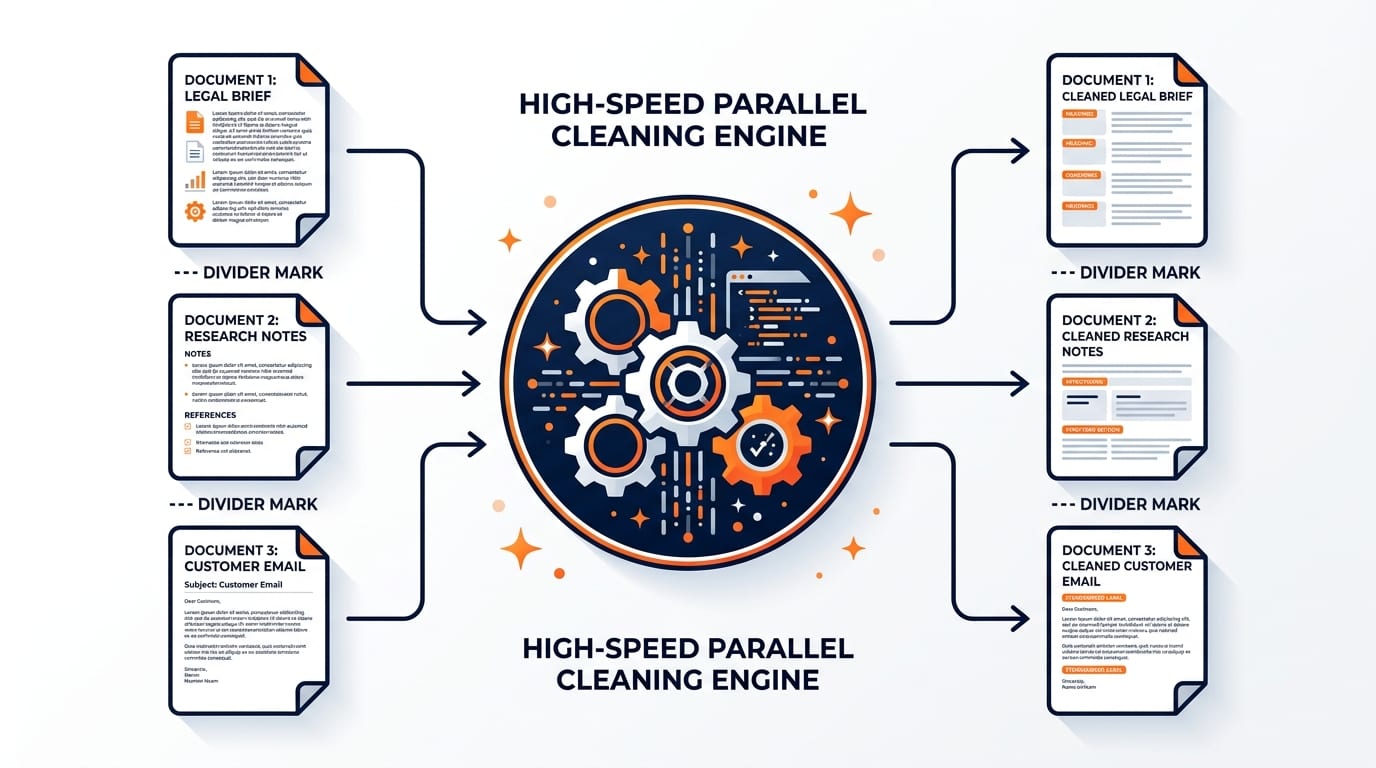
Infographic showing 3 separate documents separated by triple dash dividing marks flowing through a high speed parallel cleaning engine
📦Multi-Document Stream Engine: Automatically isolates blocks separated by ---, processes them in parallel, and delivers clean unified output.
Efficiency Comparison

Manual Single-File Workflow vs. Batch Mode

Compare the time and effort required to clean 25 separate text documents:

👉 Mobile Users: Swipe horizontally to view full comparison columns →
Workflow FactorOur Batch ModeConventional Tools
Time for 25 Documents
Processing speed
⚡ Under 30 seconds❌ 15–20 minutes of repetition
Section Boundaries
--- Delimiters
✅ Preserved automatically❌ Lost or requires manual tagging
Copy-Paste Mistakes
Missing text risks
✅ Near zero error rate⚠️ High risk of skipping blocks
Client-Side Privacy
Data protection
✅ 100% In-Browser⚠️ Often uploads to cloud servers
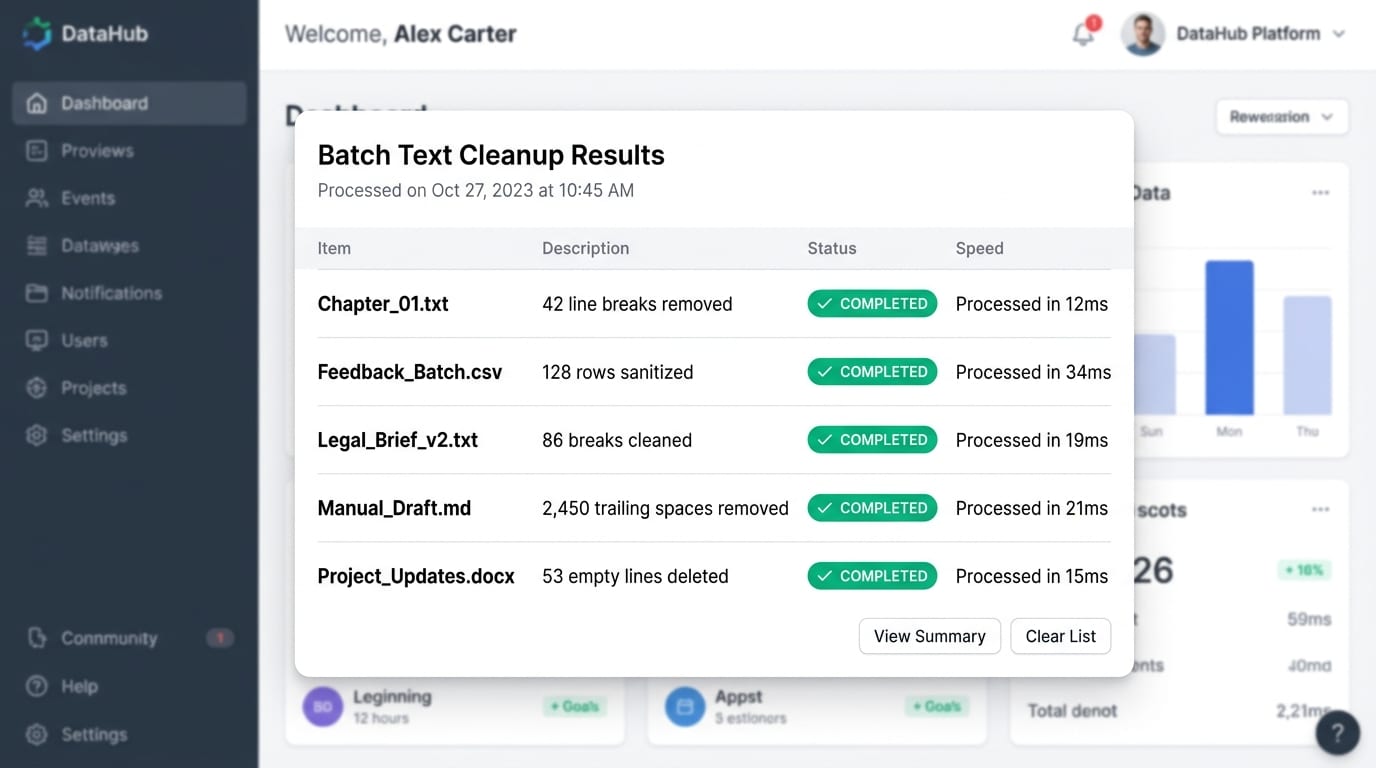
SaaS dashboard displaying batch text cleanup results with multiple files completed in milliseconds
📊High-Speed Batch Results: Multiple documents and files cleaned in parallel in under 20ms without server uploads.
How It Works

How to Use Batch Mode in 3 Easy Steps

1

Insert Separator Marks

Paste your first text section, type --- on a new line, paste the second section, and repeat for all items.

2

Configure Options

Batch Mode is active. Select your preferred algorithm (e.g. Preserve Paragraphs or Smart PDF) and any advanced toggles.

3

Export All at Once

Click Copy to Clipboard or Download .txt to receive all cleaned documents in a single structured file.

Industry Workflows

High-Volume Use Cases for Batch Cleaning

📊

Customer Feedback & Survey Data

Exports from Typeform, SurveyMonkey, or Qualtrics often contain multi-line user answers littered with line breaks. Batch Mode cleans all responses in one swift pass.

🌐

Localization & Translation

Translators handling bilingual text files or CAT tool exports can clean source and target language pairs without merging them into a single blob.

📚

Book Chapters & Anthologies

Authors compiling multiple short stories or book chapters can clean broken typography across the whole collection while keeping chapter dividers clean.

💻

Server Logs & Code Dumps

Sysadmins dealing with multiple stack traces or server log excerpts can sanitize line breaks while retaining incident timestamps and dividers.

Standards & References

Standards & Stackable Options

Our triple-dash divider adheres to the CommonMark Thematic Break Standard ↗ and multi-document YAML stream separation guidelines.

Common Questions

Frequently Asked Questions About Batch Line Break Removal

Find answers to the most common technical and operational questions regarding multi-document batch text cleanup:

How does Batch Mode work in this line break remover?+
Batch Mode allows you to process multiple documents or sections in a single pass. By placing three dashes (---) on a blank line between your text blocks, the tool cleans each section independently and preserves your separators in the final output.
How many documents can I process at once in Batch Mode?+
There is no hard limit on the number of text segments. Because processing is performed locally in your browser with optimized JavaScript, you can easily clean dozens of articles, survey responses, or translation blocks simultaneously.
Can I combine Batch Mode with other cleanup options like Preserve Paragraphs?+
Yes! Batch Mode works seamlessly across all line-break removal modes, including Preserve Paragraphs, Smart PDF Mode, and Replace with Space. You can also stack options like whitespace trimming and quote straightening.
Will the --- separators be accidentally removed during cleaning?+
No. The batch engine parses the --- document delimiter lines before text transformation occurs, protecting the boundaries so that your multi-document structure remains organized in the output.
Is Batch Mode completely private and secure for confidential files?+
Yes, 100%. No text is ever uploaded to any cloud server or database. Everything runs entirely client-side in your local browser, making it completely compliant for confidential business data.
Can I process batch files from command line tools like PowerShell or Python?+
Yes, developers can use Python scripts or PowerShell to batch process folders of text files. For non-programmers, our web tool gives you the exact same batch capability directly in your browser without code.