← Back to All Tools
🧠 AI-Assisted Heuristic Engine

Remove Line Breaks from PDF Text

Specially tuned for academic papers, legal contracts, OCR scans, and books. Rejoins wrapped lines and hyphenated words without destroying paragraph divisions.

Your text is never uploaded to a server · Nothing is stored · 100% private
Mode:
Batch ModeNew

Separate multiple documents with --- on its own line

Advanced Cleanup Options
Chars
0
Words
0
Lines
0
Chars
0
Words
0
Lines
0
Saved
—
The Root Cause

Why Text Copied from PDFs Breaks on Every Line

Almost everyone who has copied text from an Adobe PDF into Word or Google Docs has encountered the dreaded "broken column" problem. But why does this happen?

Unlike Microsoft Word or HTML webpages, which treat text as flowing, responsive streams of characters, the Portable Document Format (PDF) was designed in 1993 as a digital print specification. Its primary mandate is absolute visual fidelity: every character has hardcoded X/Y coordinates on a 2D canvas.

When a PDF renders a paragraph across 5 lines, the PDF file does not store a paragraph container; it simply paints 5 independent text segments on screen. When your PDF viewer's cursor highlights and copies those characters, it interprets the horizontal margin jump as a carriage return (\r\n). Consequently, every single line ending becomes a hard break.

Compounding the issue, typesetting engines in PDF publishers intentionally insert hyphens at line endings (e.g., inves- \n tigation). Standard text editors have no way to distinguish between a hyphen that belongs to a hyphenated compound word (like "state-of-the-art") and a typesetting wrap hyphen.
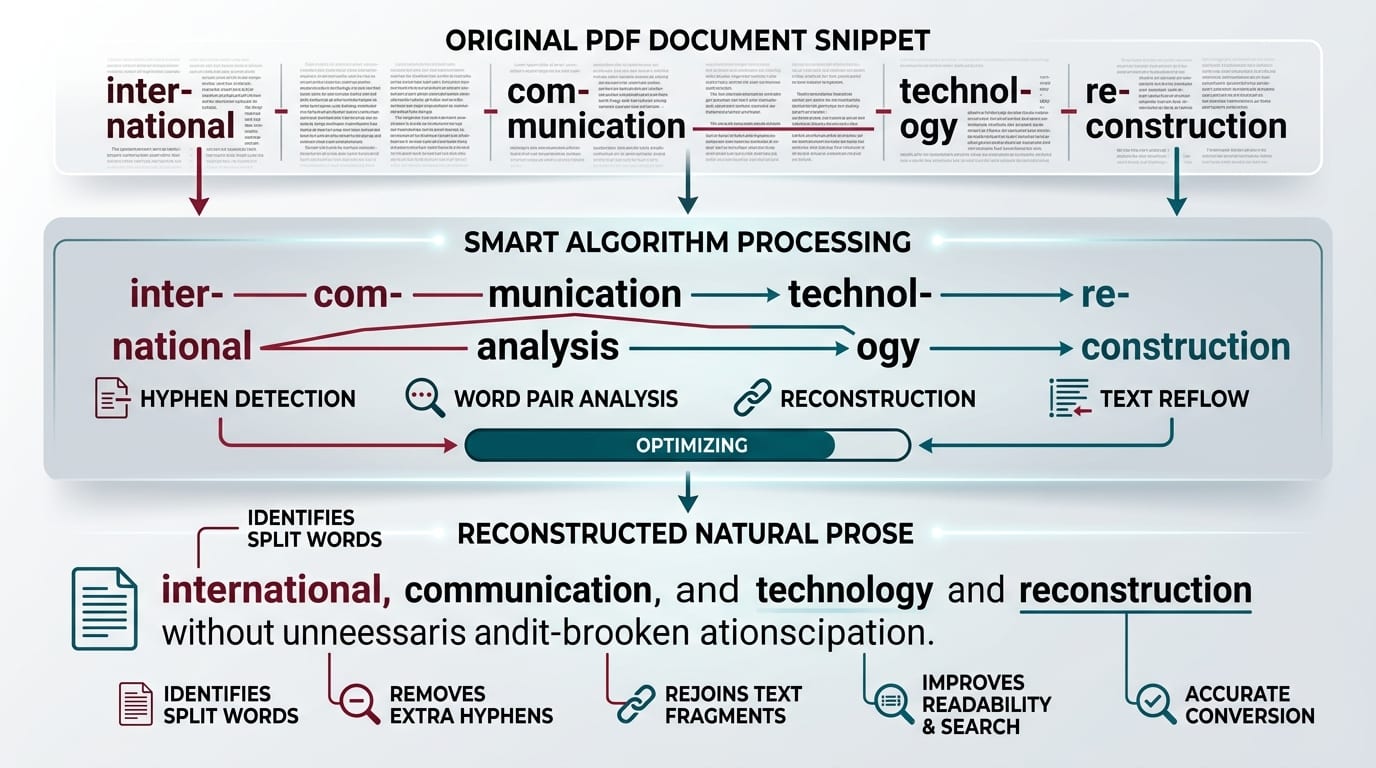
Technical infographic showing smart de-hyphenation algorithm merging split words like inter-national into single words
🔬Smart De-Hyphenation: Automatically detects hyphenated line endings, removes hyphens, and rejoins words into clean flowing prose.
The Technology

How Our Smart PDF Heuristic Algorithm Works

Our specialized PDF cleaner uses multi-stage linguistic heuristics rather than a blind regex replacement:

1️⃣

De-Hyphenation

Detects words split with a trailing hyphen right before a newline, removing the hyphen and fusing the word back together.

2️⃣

Sentence Boundary Scan

Lines ending with full stops (.), question marks (?), or colons (:) followed by an uppercase letter are preserved as genuine paragraph boundaries.

3️⃣

Mid-Sentence Reflow

Lines ending with lowercase words or commas are recognized as unfinished clauses and smoothly joined with a single space.

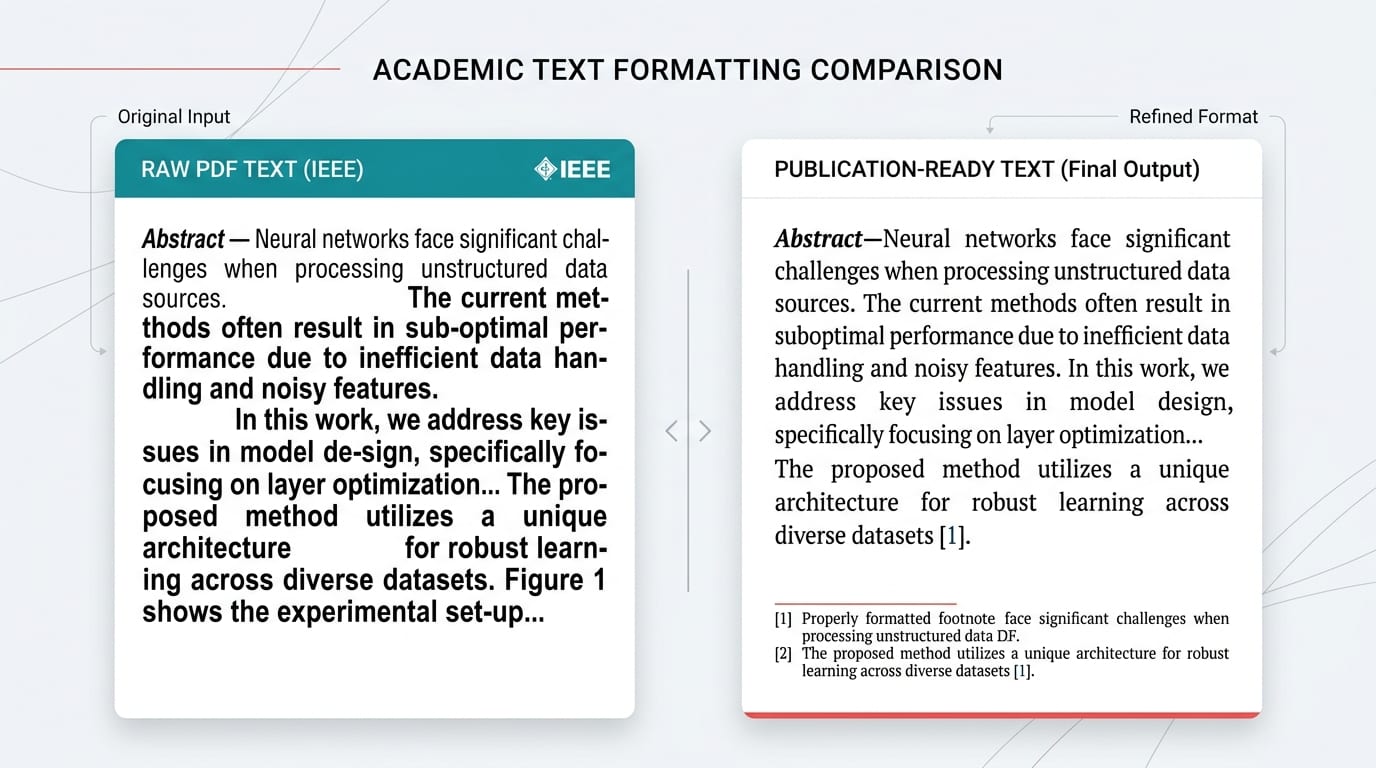
Side by side comparison of raw IEEE academic paper copied text versus publication-ready clean prose output
📑Academic Journal Text Optimization: Strips column margin wrap newlines from IEEE, JSTOR, and PubMed papers without deleting footnotes or headers.
Feature Comparison

Raw PDF Copy vs. Generic Removers vs. Smart PDF Mode

See the differences in output quality when cleaning complex two-column PDF text:

👉 Mobile Users: Swipe horizontally to view full comparison columns →
Challenge in PDF TextOur Smart PDF ModeOrdinary Line Break Tools
Hyphenated Words
e.g., "repre- \n sentative"
✅ "representative" (Fused cleanly)❌ "repre- sentative" (Broken hyphen kept)
Single-Break Paragraphs
Academic journal style
✅ Detected via punctuation scan❌ Merged into one giant block
Mid-Sentence Line Wraps
Lines cut at margin
✅ Joined with single clean spaceJoined (often merges adjacent words)
Numbered / Bullet Lists
1., 2., • bullet points
✅ List-Aware mode preserves lines❌ Numbered lists collapsed into prose
Smart Quotes & Em-dashes
Typesetting glyphs
✅ Normalized with one toggle❌ Left as corrupted ASCII codes
Workflow Guide

How to Clean PDF Text in 3 Simple Steps

Save hours of manual backspacing with this streamlined browser-based process:

1

Copy Text From Your PDF

Open your document in Adobe Acrobat, Foxit, Preview, or Google Chrome. Select your excerpt and press Ctrl+C (or Cmd+C on Mac).

2

Paste into Smart PDF Cleaner

Paste the text into the input box above. Smart PDF Mode is selected automatically. For legal documents with citations, enable Trim whitespace in Advanced Options.

3

Copy Cleaned Text

Click Copy to Clipboard. Now paste directly into Microsoft Word, Google Docs, Notion, or Overleaf LaTeX with perfect flowing sentences.

Target Use Cases

Who Needs Smart PDF Line Break Removal?

From universities to corporate law offices, thousands rely on this tool daily:

🎓

University Students & Researchers

Quoting literature from multi-column science PDFs (Elsevier, Springer, JSTOR) without having to manually backspace every 8 words. See our guide on How to Clean Up Text Copied from PDF.

📑

Paralegals & Lawyers

Extracting deposition transcripts and court opinions where lines are strictly numbered or broken. If you only want to preserve original paragraphs, try Preserve Paragraphs Mode.

📖

E-book Authors & Translators

Importing legacy PDF manuscripts into Scrivener, Vellum, or Kindle Create. The automatic de-hyphenation engine fixes split words seamlessly.

💼

Data Analysts & Business Ops

Copying data tables and narrative summaries out of annual reports (10-K filings, ESG audits) into spreadsheets or presentation slides.

Standards & References

Authoritative Standards & Related Tools

To learn more about how text extraction operates under international standards, review the official Adobe PDF Reference (ISO 32000-1) ↗ and documentation from the PDF Association ↗.

Common Questions

Frequently Asked Questions About PDF Line Break Removal

Find answers to the most common technical and operational questions regarding text formatting and PDF line break cleanup:

Why does text copied from a PDF have line breaks on every single line?+
PDF documents do not store text in continuous reflowable paragraphs. Instead, they position individual words and text fragments at exact X and Y visual coordinates on a fixed canvas. When you copy text, your PDF viewer inserts a hard newline character at every visual margin boundary, even in the middle of sentences.
What makes Smart PDF detection superior to ordinary line break removers?+
Ordinary tools either delete all breaks (ruining paragraphs) or only check double line breaks (which PDFs often lack). Smart PDF mode evaluates grammatical markers: it identifies terminal sentence punctuation (., !, ?, :), looks ahead to check if the next line starts with a capital letter, and automatically rejoins hyphenated words split across lines.
How does automatic hyphen rejoining (de-hyphenation) work?+
When a long word is split at the margin of a PDF column with a hyphen (for example, 'inter-' at the end of line 1 and 'national' at line 2), our algorithm detects the hyphen-newline pattern and merges the fragments back into a single word ('international') without accidental spacing.
Can this tool clean text copied from scanned or OCR PDFs?+
Yes. OCR-processed scans typically feature irregular spacing, erratic carriage returns, and broken sentences. Smart PDF mode combined with the 'Collapse extra spaces' and 'Straighten quotes' toggles cleans scanned text into publication-ready copy.
Is my uploaded PDF text secure and private?+
100% yes. You only paste text into your local web browser. No files or text are uploaded to any cloud server, ensuring full compliance for sensitive legal depositions, corporate contracts, and proprietary research papers.
How does it handle two-column academic research papers?+
Two-column PDFs wrap lines every 40-50 characters and frequently lack double line breaks between paragraphs. Smart PDF mode uses sentence-ending punctuation heuristic to identify paragraph endings while smoothing column wrap breaks.