
How to Remove Line Breaks from Multiple Documents at Once
Cleaning text snippets one block at a time is painfully repetitive and error-prone. Discover how to leverage delimiter-based batching, browser-side parallel pipelines, and shell scripts to clean an entire folder of documents in seconds.
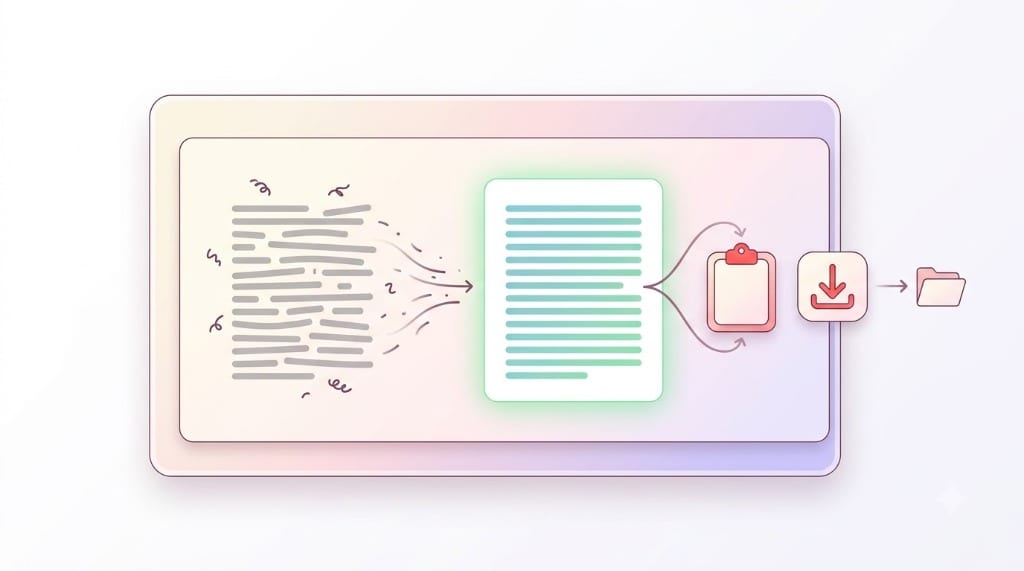
---) and cleaning all text streams simultaneously without uploading sensitive corporate data to external servers.The Bottleneck of Traditional Single-Snippet Cleanup
In modern business, research, and legal operations, text formatting bottlenecks rarely occur on a solitary sentence. Organizations routinely handle massive unstructured text repositories where thousands of passages require line break removal before they can be ingested into analysis software or content management platforms.
Consider the real-world operational challenges faced across several demanding disciplines:
- Legal Discovery & Compliance Audits: Litigation paralegals reviewing discovery production dumps containing hundreds of subpoenaed email messages, court transcripts, and contract addenda copied from scanned PDF binders. Every single document contains artificial margin line wraps that mangle digital search indexing.
- AI & Natural Language Processing Pipelines: Machine learning engineers preparing pre-training or fine-tuning datasets from customer feedback surveys, support tickets, and forum threads. Uncleaned newlines cause tokenization fragmentation and reduce LLM context window efficiency.
- Digital Publishing & Content Migration: Editorial teams migrating archived articles, whitepapers, and author submissions into modern headless CMS platforms like Contentful, Strapi, or WordPress. Moving 200 archived articles one-by-one by hand requires days of tedious labor.
- Enterprise Customer Experience (CX) Analytics: Analyzing open-ended Net Promoter Score (NPS) comments exported from tools like Qualtrics or SurveyMonkey, where respondent text is broken across multiple fragmented lines.
If you rely on traditional online text cleaning utilities, you are forced into an exhausting, repetitive manual loop:
The Delimiter Solution: Clean Entire Document Sets in One Pass
To solve this throughput bottleneck without requiring users to install complex programming tools, our Batch Remove Line Breaks Tool implements Multi-Chunk Delimiter Parsing.
A delimiter is simply a unique boundary marker placed between distinct document records. By default, the universal convention is three hyphens (---) placed on an empty line:
When you submit this concatenated payload to the batch processor, the internal algorithm executes a structured four-phase pipeline:
Delimiter Token Splitting
The input buffer is split along delimiter boundaries using high-speed string slicing, isolating each document into an independent text segment in memory.
Isolated Rule Application
Each chunk is cleaned independently according to your chosen mode (e.g. Preserve Paragraphs, Remove All, or Replace with Space), ensuring no cross-document bleeding.
Delimited Assembly
The cleaned chunks are reassembled with the exact separator boundaries preserved, maintaining complete document isolation.
1-Click Bulk Export
Export the entire collection in one copy action or download as a timestamped UTF-8 .txt file for instant database ingestion.
Workflow Comparison: 4 Ways to Clean Multiple Documents
Compare how delimiter batching measures up against manual repetition, shell scripts, and desktop IDE macros:
| Method | Time for 50 Documents | Setup Complexity | Preserves Structure | Client Privacy | Best Suited For |
|---|---|---|---|---|---|
| Online Delimiter Batch ToolRemoveLineBreaksOnline.com | 15 Seconds | Zero (Web Browser) | Per-chunk preservation | 100% Client-Side | Writers, legal clerks, office teams |
| Manual Copy-Paste CycleOne by one in web tool | 35+ Minutes | None | Prone to paste errors | Local Browser | Single one-off snippets only |
| Python Regex Scriptre.sub() directory loop | 5 Seconds | High (Requires Python) | Programmatic | Local Offline | Developers, data engineers |
| Desktop Editor Multi-File FindVS Code / Sublime Regex | 3–5 Minutes | Moderate (IDE config) | Risk of file overwrite | Local Filesystem | Software developers |
Supported Delimiters & Best Practices Cheat Sheet
Different document formats and workflows benefit from different separator tokens. Review the optimal delimiters for common formats:
| Delimiter Pattern | Standard Ecosystem | Collision Risk | Primary Use Case |
|---|---|---|---|
--- (Three Hyphens) | Markdown YAML frontmatter | Very Low | Standard documents, blog posts, essays |
=== (Three Equals) | Diff / patch file formats | Very Low | Code snippets, legal contracts |
### (Three Hashes) | Markdown H3 headings | Moderate (Avoid in Markdown) | Customer feedback, user reviews |
*** (Three Asterisks) | Thematic break / horizontal rule | Low | Creative writing, book chapters |
--END_RECORD-- | Database ETL dumps | Near Zero | Financial data, SQL string exports |
Troubleshooting Matrix: Common Batch Cleaning Issues
When cleaning text batches compiled from diverse sources, you may encounter unique edge cases. Here is how to diagnose and resolve them:
| Issue Observed | Root Cause | Diagnostic Sign | Recommended Remedy |
|---|---|---|---|
| Documents Collapsing Together | Missing newline around delimiter | Delimiter attached to previous sentence | Ensure delimiters sit on their own isolated empty lines |
| Accidental Extra Chunks | Delimiter string appears inside text | A document containing --- was split | Switch custom delimiter to === or @@@ |
| Hyphen Fused Improperly | Split across document boundary | Hyphen at final character of chunk | Review chunk endings before joining |
| Special Characters Corrupted | Encoding mismatch (ISO-8859-1 vs UTF-8) | Curly quotes turn into “ | Ensure input text is saved as standard UTF-8 |
Step-by-Step: How to Run a High-Speed Batch Clean
Cleaning your document collection takes four simple steps:
Open Batch Tool
Visit our Batch Remove Line Breaks tool or activate the "Batch Mode" switch on our homepage.
Paste Text & Delimiters
Paste your documents into the large input field, separating each distinct document with --- on an empty line.
Choose Cleaning Mode
Select Preserve Paragraphs (to keep double returns within each document) or Replace with Space (for single-line flattening).
Click Remove Line Breaks. In less than 50 milliseconds, our JavaScript engine iterates through every document chunk, normalizes whitespace, rejoins hyphenated terms, and outputs a perfectly separated batch.
For Developers: Batch Processing via Python CLI Script
If you have hundreds of individual .txt files saved on your hard drive, you can combine this Python script with our regex logic to process files locally in batch:
Linux / macOS Terminal Automation via Bash Pipelines
Sysadmins and UNIX power users who work with command-line log files or multi-document dumps can strip line breaks using native POSIX utilities without writing full scripts:
On Windows the same folder-scale job runs in PowerShell with Get-ChildItem piped through a replace and written to a new directory — plus the -WhatIf dry run that reports what would change before a single byte is touched. The full recipes, operator comparison and encoding checks live in our PowerShell line break removal guide.
Frequently Asked Questions About Batch Cleanup
Is there a file size or character limit in Batch Mode?
What happens if my text contains three dashes inside the document?
===, @@@, or --END-- to avoid any accidental document splitting.Can I download the batch result as separate files?
.txt file with preserved delimiters, or use the 1-click Copy button to paste the organized batch directly into spreadsheets, databases, or documents.